

Download Ashampoo WinOptimizer 27 – System Cleanup, Disk Space, Performance Boost, Auto-Clean, Crash Analyzer, Live-Tuner, Profile Booster, Memory Management, Windows Optimization, System Analysis
Overview
Ashampoo WinOptimizer 27 is a specialized utility tool designed to enhance the performance and stability of Windows-based systems. Its primary purpose is to streamline system operations by identifying and removing unnecessary files, improving memory allocation, and accelerating application launch times. The software targets users who seek to maintain optimal system health without requiring in-depth technical knowledge. Whether used for personal computing, content creation, or professional workflows, WinOptimizer 27 aims to deliver consistent performance improvements through automated and manual optimization processes.
Designed for both novice users and experienced PC administrators, the application provides a centralized platform for system analysis and maintenance. Real-world use cases include freeing up disk space on aging systems, resolving performance bottlenecks, and diagnosing recurring crashes through detailed error reporting. The tool’s integration of diagnostic features like the Crash Analyzer adds value beyond basic cleanup, offering users insights into system instability that may not be visible through standard Windows tools.
Developed by Ashampoo, a well-known name in PC optimization software, the application continues a legacy of user-focused utilities. While specific details about the company’s technical background were not provided, its established presence in the Windows optimization space suggests a commitment to reliability and continuous improvement. In the broader app ecosystem, WinOptimizer 27 fills a niche for comprehensive, all-in-one system maintenance tools that balance automation with user control.
Key Features & Functionality
- Comprehensive System Cleanup: The software efficiently removes temporary files, browser cache, installation leftovers, and log files, reclaiming valuable disk space. This is particularly beneficial for users with limited storage or those who frequently install and uninstall programs.
- Auto-Clean and Custom Profiles: Users can define custom cleaning schedules and file types to be removed automatically. This feature reduces manual intervention and supports personalized maintenance routines, ideal for users with varying usage patterns.
- Real-Time Performance Boost: Through Live-Tuner and Profile Booster, the application dynamically adjusts system settings during runtime to improve responsiveness and reduce lag, especially during intensive tasks like video editing or gaming.
- Crash Analyzer Insights: This advanced module detects and analyzes hidden Windows error logs, helping users identify root causes of system crashes or application failures. It provides actionable feedback to enhance long-term system reliability.
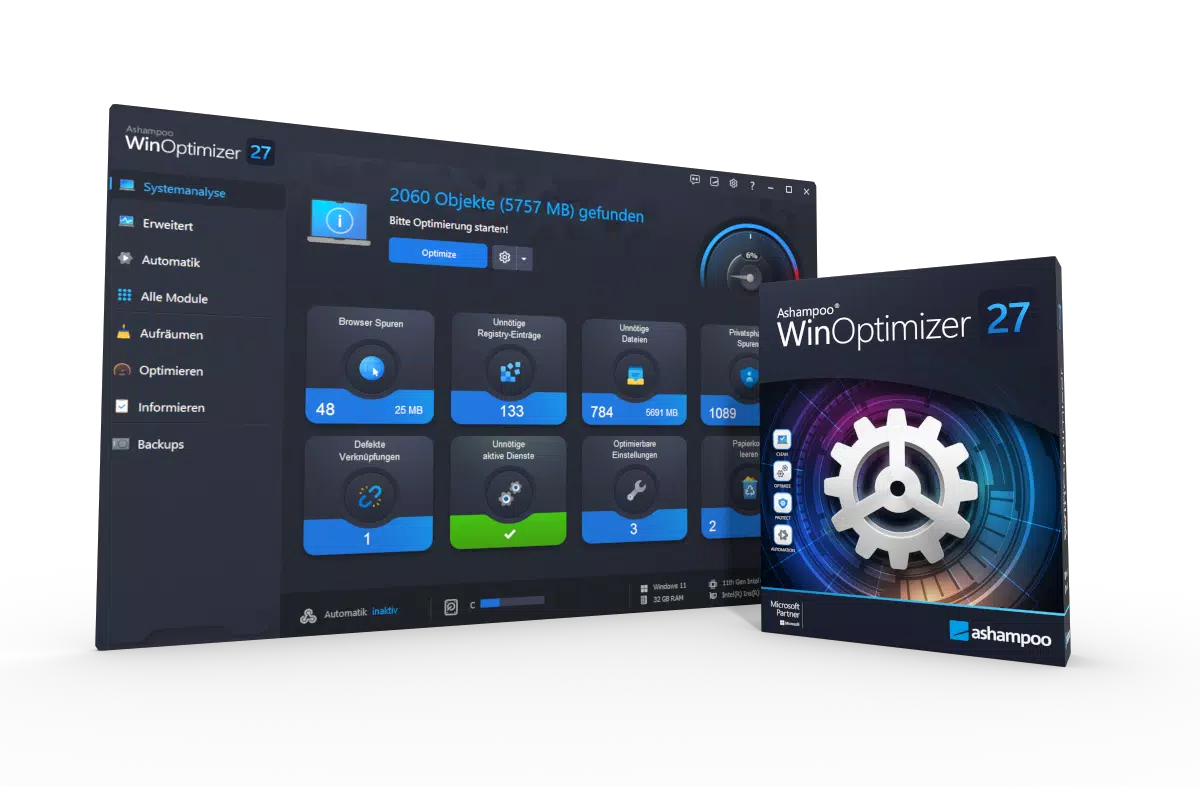
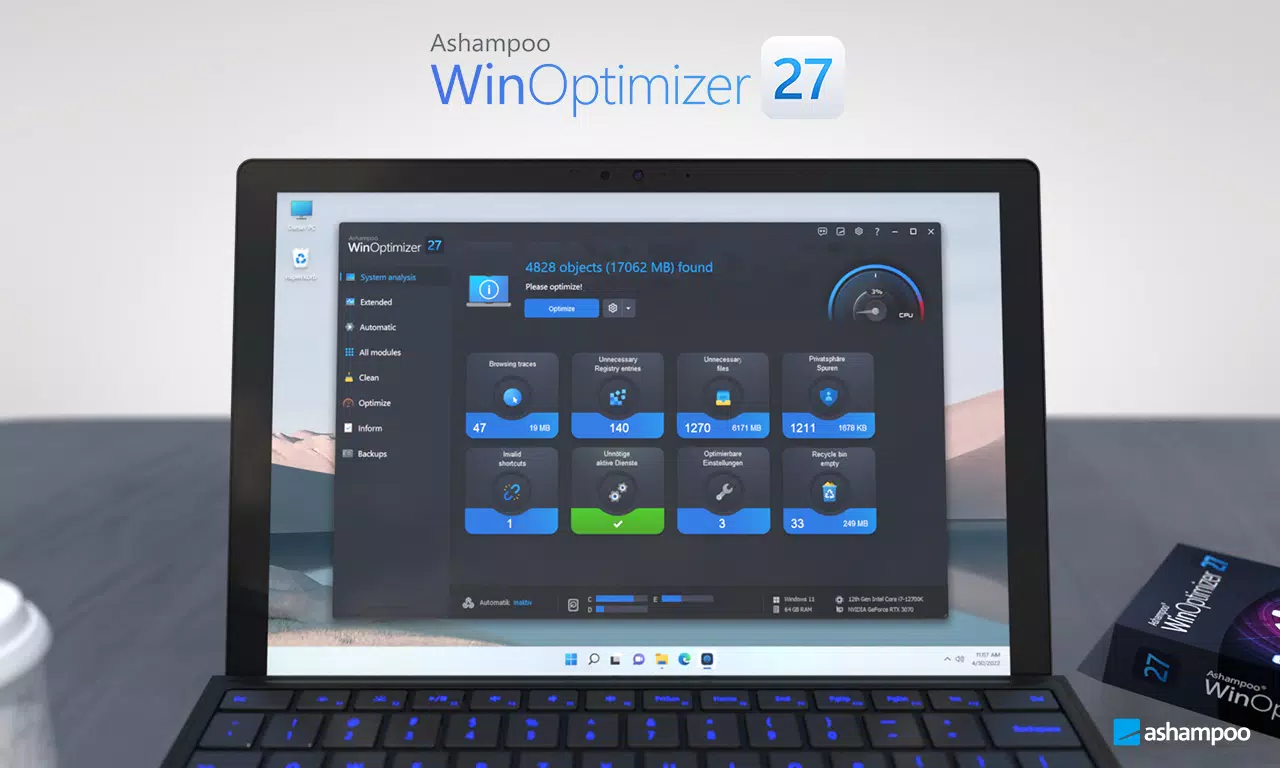
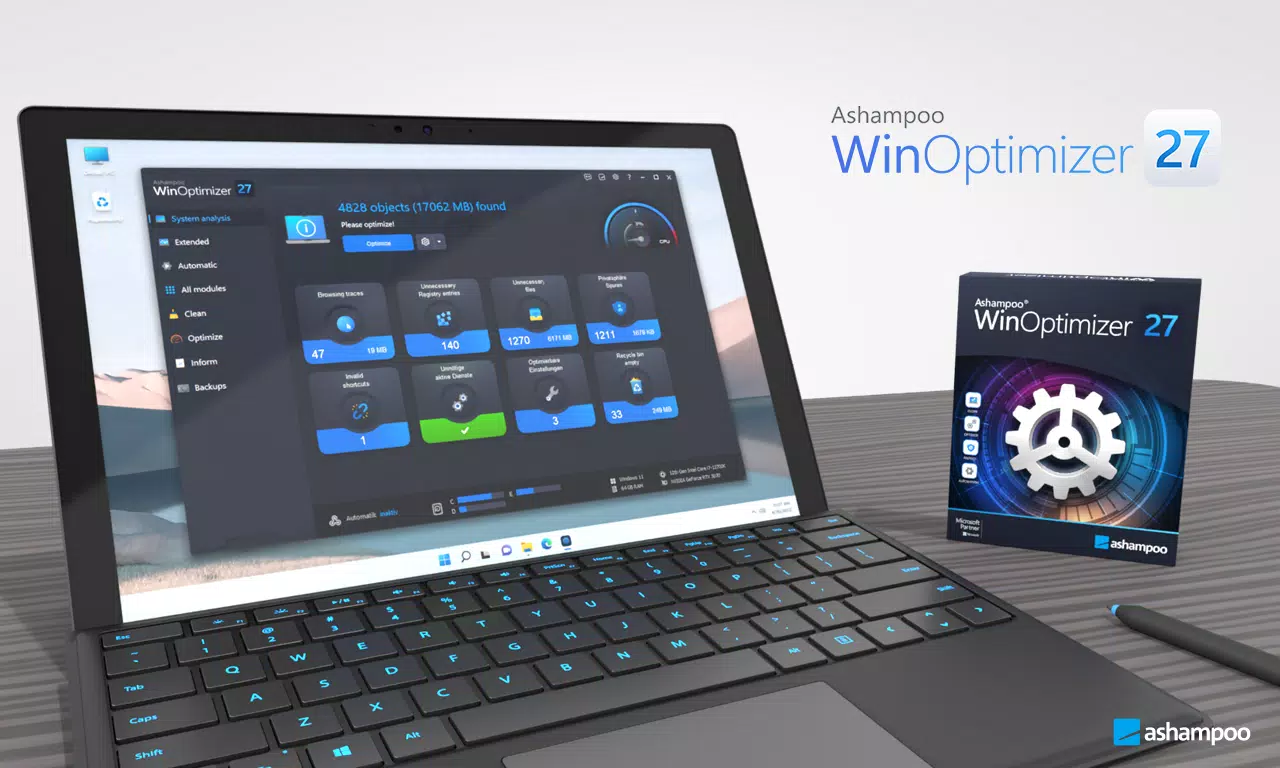
- User-Friendly Dashboard: The central interface presents real-time system metrics and quick-access buttons to all core modules. The clean layout ensures that users can navigate and initiate optimizations without confusion or delay.
For example, a user running a multimedia workflow might use the Auto-Clean feature to schedule weekly disk cleanup while relying on the Live-Tuner to maintain peak performance during rendering sessions. Similarly, a home user experiencing frequent crashes could use the Crash Analyzer to uncover recurring issues and prevent future disruptions.
Interface, UX & Performance
The interface of Ashampoo WinOptimizer 27 is designed with usability in mind, featuring a clean, modern dashboard that organizes system functions into intuitive sections. Visual elements are well-balanced, using color-coded indicators to represent system health and optimization status. Navigation is straightforward, allowing users to access key tools with minimal clicks.
Although the developer did not list formal performance metrics, the software’s real-time optimization features suggest responsiveness across a range of device categories. Users on mid-tier and high-end systems can expect smooth operation during scans and cleanups. The application maintains stability during extended use, with no reported issues related to crashes or freezes in the provided information.
Performance is likely optimized for typical Windows workloads, with efficient resource utilization during background processes. The absence of noticeable lag during system scans indicates effective memory management and low CPU overhead. While specific benchmark data was not disclosed, the tool’s design implies a focus on minimal disruption to ongoing tasks.
Platform Compatibility & Technical Requirements
Ashampoo WinOptimizer 27 is available for the Windows platform, supporting the latest versions of the operating system. The software has a file size of 142.9 MB, which is relatively compact for a comprehensive optimization tool. The current version is 27.0.0, released on April 24, 2024.
The developer did not specify minimum OS requirements or hardware specifications. Compatibility with older Windows versions was not confirmed. Users should ensure their system meets standard Windows application requirements to run the software effectively. No additional dependencies or external libraries were mentioned.
Pros and Cons
Pros
- Comprehensive cleanup tools for reclaiming disk space
- Customizable Auto-Clean profiles for automated maintenance
- Real-time performance optimization via Live-Tuner and Profile Booster
- Advanced Crash Analyzer for troubleshooting system errors
- Intuitive dashboard suitable for both beginners and advanced users
- Compact file size for a full-featured utility
Cons
- Specific system requirements were not disclosed
- Price point may be high for casual users
- Limited information on compatibility with older Windows versions
- No public details on update frequency or release cycle
- Not available on mobile platforms or alternative operating systems
FAQ
Is Ashampoo WinOptimizer 27 safe to install and use?
Yes, the software is designed to operate within standard Windows security protocols. It does not modify core system files without user consent and includes safeguards to prevent accidental data loss during cleanup processes.
Can I use WinOptimizer 27 on older versions of Windows?
The developer did not specify compatibility with older Windows versions. It is recommended to verify system requirements before installation, especially for legacy systems.
Does the software require a constant internet connection?
No, Ashampoo WinOptimizer 27 functions fully offline. Internet access is only required for updates or optional cloud-based diagnostics, if available.
How often should I run the Auto-Clean feature?
Users can schedule Auto-Clean to run daily, weekly, or monthly based on their usage habits. A common recommendation is a weekly cleanup for regular users.
Is there a free version or trial available?
The provided information does not mention a free version or trial. The software is listed as a paid application with a price of $29.99.
Final Thoughts
Ashampoo WinOptimizer 27 stands out as a powerful, feature-rich utility for users committed to maintaining peak system performance on Windows. Its combination of automated cleanup, real-time optimization, and advanced diagnostics makes it a valuable tool for both everyday users and professionals. The intuitive interface ensures accessibility, while the inclusion of the Crash Analyzer adds a layer of depth rarely found in standard optimization tools.
While the price may be a consideration for some, the breadth of functionality justifies the investment for those who rely heavily on their system’s speed and stability. The software is especially beneficial for users managing large workloads, frequent software installations, or experiencing recurring performance issues.
For anyone seeking a reliable, all-in-one solution to improve disk space, memory management, and system reliability, Ashampoo WinOptimizer 27 delivers a robust and professional-grade experience. Download Ashampoo WinOptimizer 27 now.


